Delete a Role
In the Accounts module, you can delete roles that are no longer needed or applicable within the Xsponse platform. Deleting a role ensures that it is permanently removed from the system, along with its associated permissions and access rights. This action is typically performed by administrators or users with the necessary permissions.
To Delete a Role
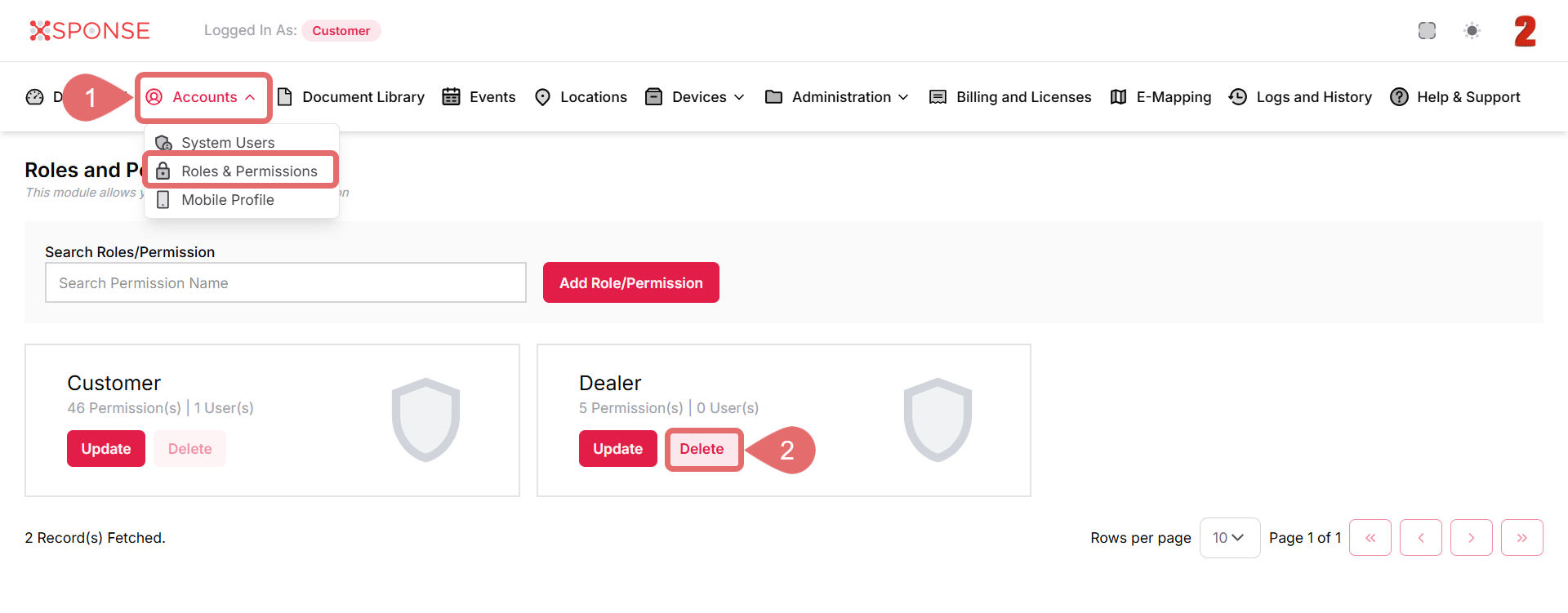
- Go to Accounts > Roles & Permissions.
- Click Delete on the role you want to remove.
- Click Remove to delete the role or Cancel to abort the deletion.
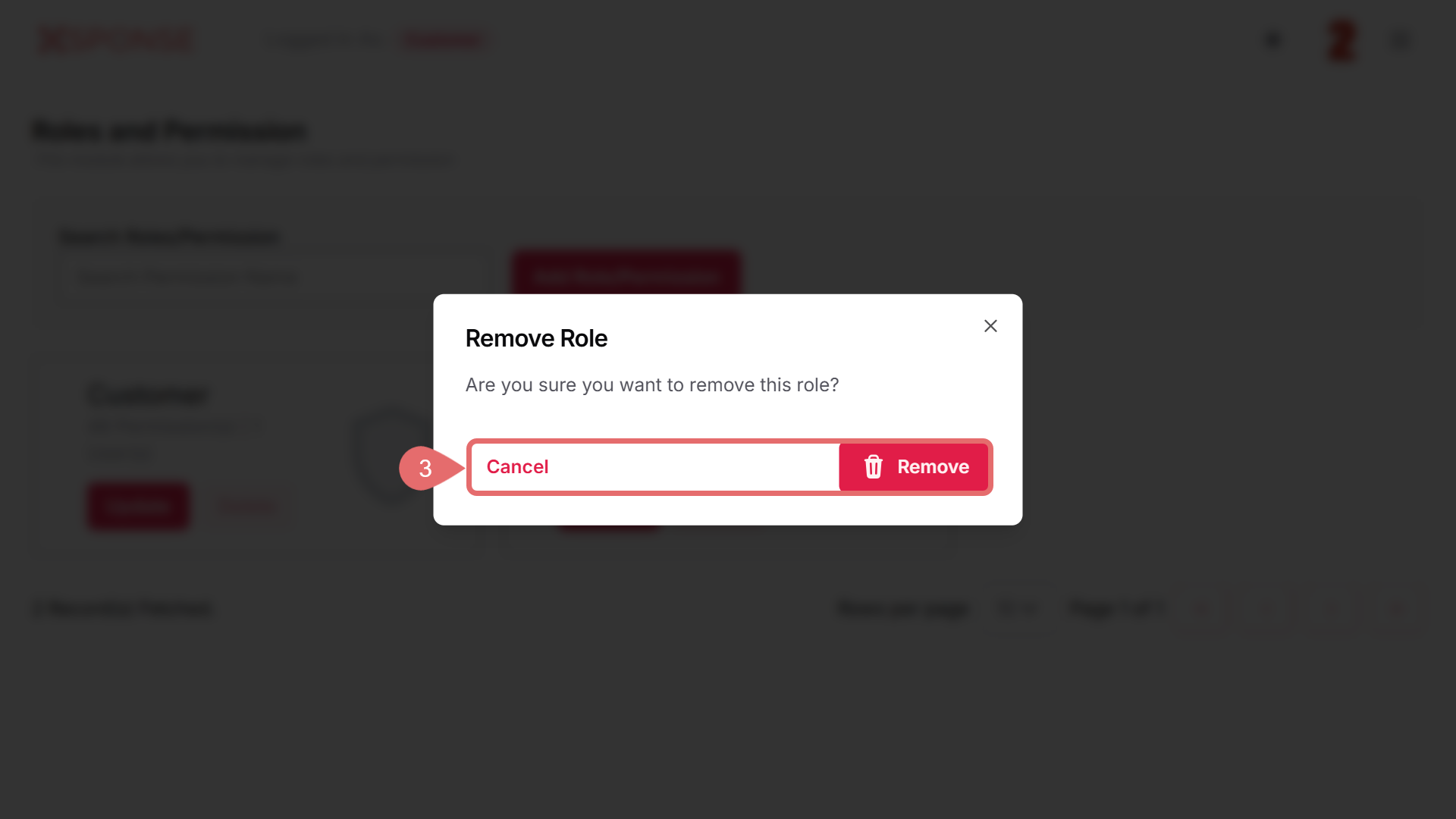
Once deleted, the role will no longer appear in the list of available roles and will not be available for assignment to new or existing users.
See Also
To complement your knowledge of this process, check the following pages: